
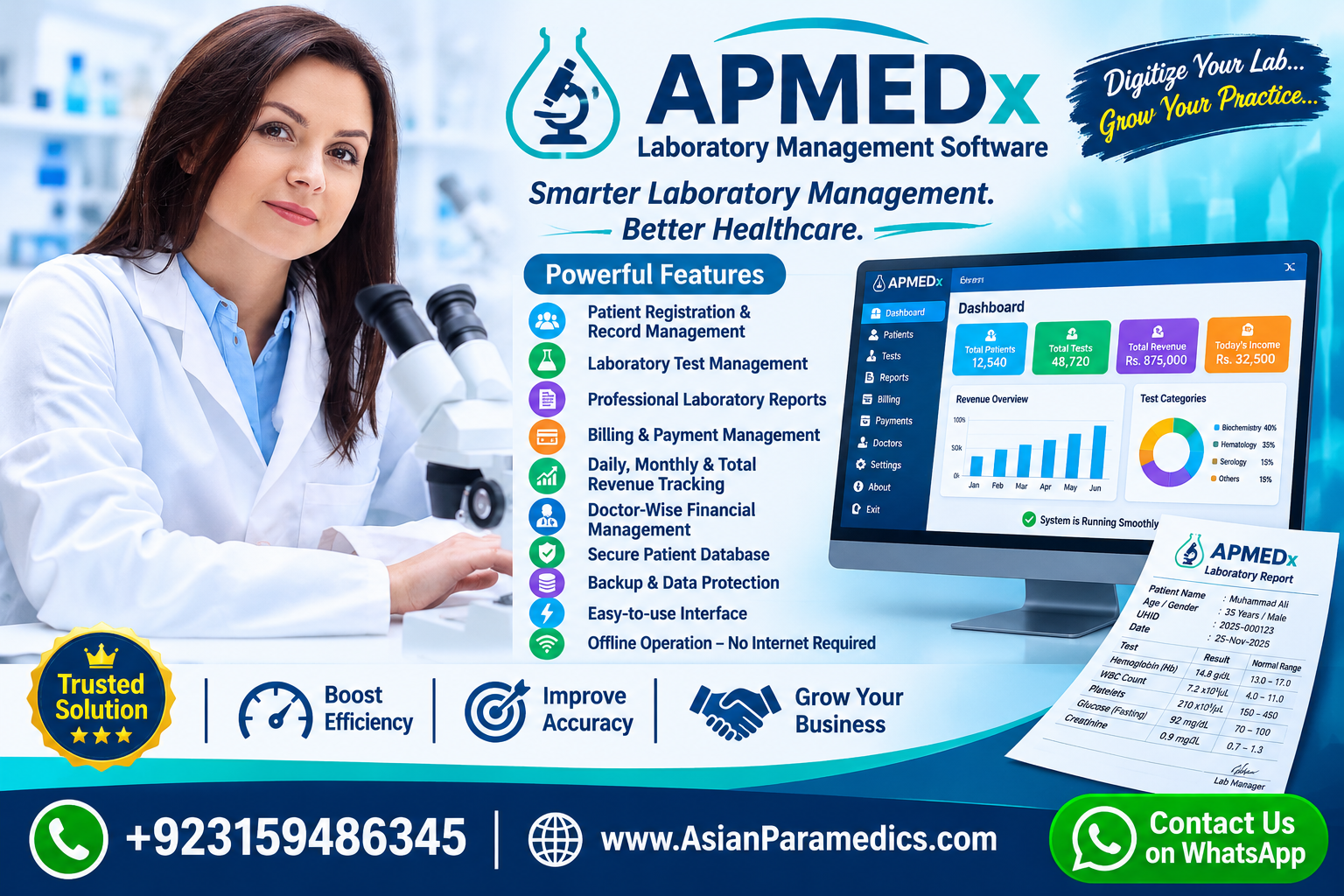
APMEDx Laboratory Management Software (Single-PC Edition)
APMEDx Laboratory Management Software is a complete, 100% offline clinical pathology and diagnostic laboratory system built by Asian Paramedics for Windows 10 and Windows 11. Designed for pathology lab owners, managers, medical laboratory technologists, receptionists, and accountants, it manages your entire daily laboratory workflow on one secure computer—with zero internet dependency and zero cloud risk.
Core Modules in APMEDx Laboratory Management Software
1. Dashboard & Overview (F1)
Monitor Today’s Orders, Today’s Revenue, Active Orders, Pending Tests, and Reports Ready at a glance with instant search and date-range filters.
2. Orders & Billing Management (F2 / Ctrl+N)
Create laboratory orders in seconds, search or register patients on the fly, assign referring doctors, apply discounts, collect full or partial payments (Cash, Card, Bank Transfer, Online), issue refunds, and print itemized receipts or 80mm thermal bills.
3. Diagnostic Results Desk (F3)
Enter quantitative and qualitative results quickly with keyboard navigation. Numeric values outside patient reference ranges are automatically flagged H (High) or L (Low) in bold red. Includes dedicated support for CBC, Urine R/E, Semen Analysis, Stool R/E, and Widal/Brucella titration matrices.
4. Test Catalog & Health Packages (F4)
Pre-loaded with standard pathology tests and profiles. Easily customize test prices, units, methods, Male/Female reference ranges, dropdown options, custom multi-parameter tests, and discounted health packages.
5. Patient Directory & History (F5)
Register patients with auto-generated Patient IDs, optional MR Numbers, age (Years/Months/Days), gender, contact details, and medical history. Double-click any patient to view their complete diagnostic and billing timeline.
6. Reagent & Stock Inventory (F6)
Track laboratory reagents and consumables by batch/lot number and expiry date, receive and issue stock, and receive automatic low-stock and near-expiry alerts.
7. Settings, Security & Backups (F7)
Customize your laboratory letterhead, dual logos, dual signatories (Pathologist and Medical Technologist), regional currency and tax settings, 5 professional report templates, 7 role-based staff user accounts, 4-digit staff PINs, idle auto-lock, and tamper-evident audit logs.
Security, Backups & Offline Updates in APMEDx Laboratory Management Software
APMEDx Laboratory Management Software protects all patient, test, and billing records inside an AES-256 encrypted local database (with Argon2id key derivation) and a printable offline Recovery Key. Automatic daily and weekly encrypted backups can be saved directly to a USB drive or secondary disk, and offline signed updates (.apmdxupd) keep your installation up to date without internet access.
Choose Your APMEDx Laboratory Management Software Plan
- 1 Month (Silver Plan): Ideal for trying full Professional features in daily lab operations.
- 6 Months (Gold Plan – Most Popular): Save 25% with 6 months of uninterrupted Professional access.
- 1 Year (Platinum Plan – Best Value): Save 37.5% with a full year of Professional features and updates.
Need help? Try our 1-Day Free Trial first or contact Asian Paramedics support on WhatsApp at +92 315 9486345.
Frequently Asked Questions
Does APMEDx require an internet connection?
No. APMEDx runs 100% offline on your Windows PC. All patient records, test results, and billing data stay on your local computer.
What happens when my 1-Month, 6-Month, or 1-Year licence expires?
Your laboratory data is never deleted. APMEDx switches to Read-Only mode so you can still view history, print existing reports, and create backups until you renew.
How do I back up my laboratory database?
Under F7 Settings → Backup, select an external USB drive or secondary disk. APMEDx automatically creates verified encrypted daily and weekly backups while open.
Can I transfer my APMEDx licence if I change my computer?
Yes. Open F7 Settings → License & Subscription, click Deactivate for Transfer, and send the generated code to Asian Paramedics to receive a replacement licence for your new PC.
How do I receive software updates without internet?
Official updates are delivered as signed .apmdxupd packages. Copy the file to a USB drive, open F7 Settings → About → Apply Signed Update, and APMEDx updates safely after creating an automatic backup.





Muhammad Talha (verified owner) –
⭐⭐⭐⭐⭐
Outstanding Laboratory Management Software!
I have purchased and tried three different laboratory software solutions before, but honestly, this one is outstanding and far better in terms of usability and overall experience.
It is incredibly easy to use, easy to access, and very user-friendly. The interface is simple, smooth, and well-organized, making daily laboratory operations much easier and more efficient.
What impressed me the most is its simplicity and convenience. Everything feels straightforward, even for someone who is not highly technical.
I’m genuinely satisfied with this software and highly recommend it to other laboratories looking for a reliable, efficient, and user-friendly solution.
Excellent work by the development team. Keep it up!
Asian Paramedics (store manager) –
Thank you so much Mr. Muhammad Talha for your wonderful feedback! We’re truly honored that after trying three different software solutions, you chose ours and found it outstanding. Our team worked hard to make it simple, smooth, and easy for everyone – even for non-technical staff – so hearing this from you means a lot to us.Thank you for recommending us to other laboratories. We promise to keep improving and supporting you the same way. Excellent labs like yours inspire us to do better. Keep it up! Team -Asian-Paramedics