
APMDx
Laboratory management software for pathology labs on Windows
Patient registration, orders, results, reports, and billing on one authorized PC
— offline-first with encrypted local storage.
--
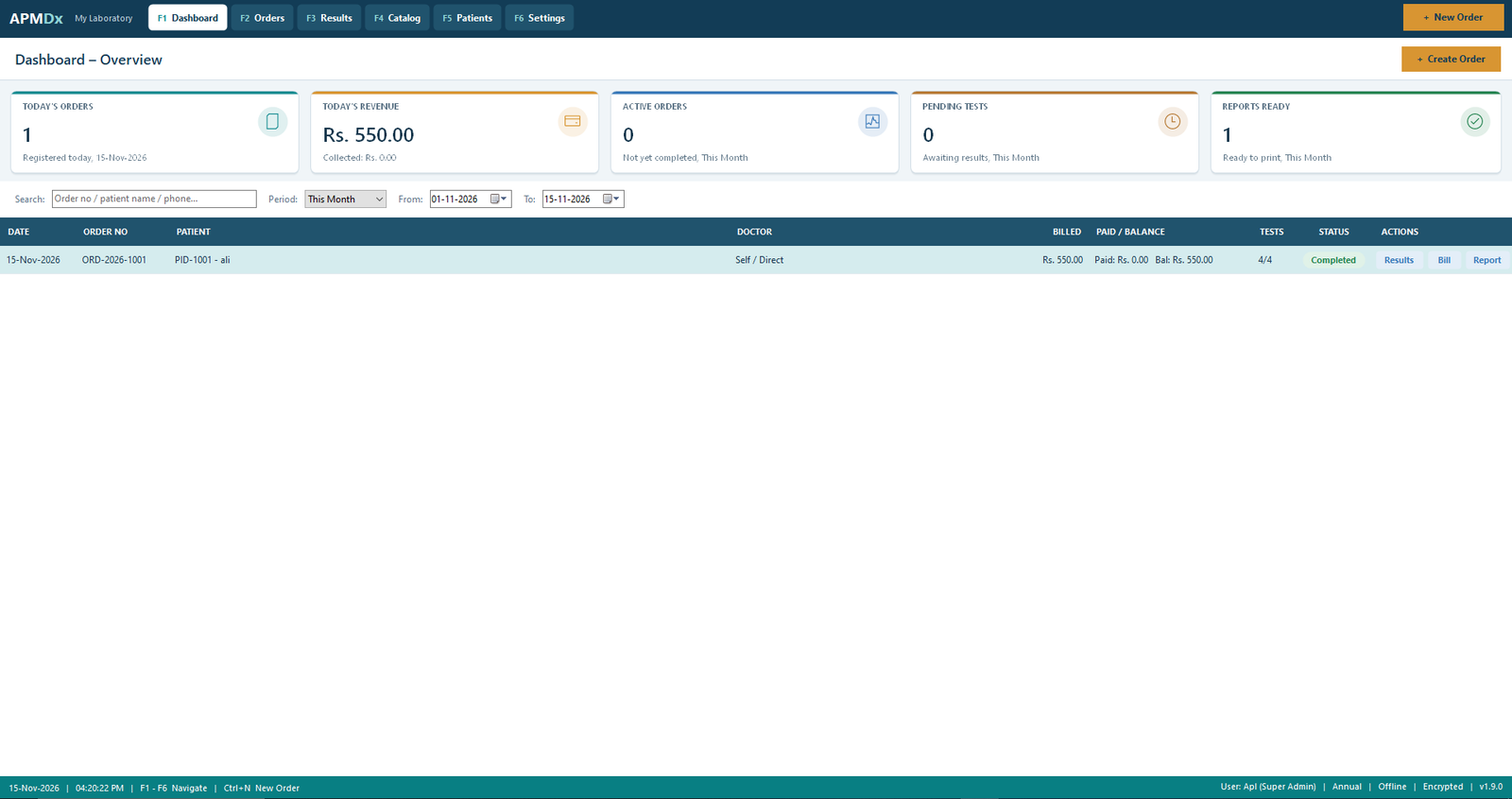
Desktop software for diagnostic laboratories
APMDx Laboratory Management Software is a Windows desktop application for pathology and clinical labs that prefer to keep records on their own computer. It replaces paper registers and scattered spreadsheets with a structured workflow: patients, orders, results entry, professional printouts, and local invoicing.
There is no cloud login for clinical data. Your laboratory database stays under your Windows profile, protected with strong encryption. Start with a free 7-day trial of full Professional features, then activate a prepaid plan when you are ready.
Everyday lab work, organised on one PC
Patient intake and test order desk
Register patients once, then build orders with one or many tests from your catalog. Staff can move cases from registration through sample handling to reporting without juggling separate notebooks. The desk is designed for busy morning queues and clear case tracking.
Results entry and printable reports
Enter findings against ordered tests, keep reference values in your catalog, and produce tidy printed reports for clinicians and patients. APMDx focuses on pathology-style laboratory reporting for a single site — not a multi-branch cloud portal.
- Hematology, biochemistry, microbiology, and routine pathology-style result sets
- Catalog-driven tests and packages with prices for local billing
- Historical records remain readable even if a Professional plan later expires
Reference values that match your practice
Configure normal ranges in your test catalog so reports reflect how your laboratory works. Keep interpretations consistent across shifts without rewriting every report by hand.
Local invoicing after each order
Generate billing lines from the tests you ordered. Keep financial records with the same offline database as your clinical work — useful for cash desks that do not want patient results uploaded to a website.
Encrypted storage and recovery discipline
Laboratory data is stored encrypted on the PC. You create a Recovery Key at setup — store it offline. Encrypted backups help you recover after hardware failure without sending patient names or results to APMDx servers (we never receive them).
Licensing that respects one laboratory, one PC
Professional Edition is device-bound for a single authorized Windows computer. After the trial, activate with a signed licence key from your supplier. Reinstalling the program does not quietly restart a finished free trial on the same Windows profile.
Built for accuracy, privacy, and steady daily use
From a compact diagnostic room to a growing pathology unit, APMDx keeps the workflow on hardware you control. Automation of registers and reports helps reduce transcription mistakes while preserving a professional presentation for referring doctors.
Simple prepaid pricing in Pakistan Rupees
Premium Professional Edition is Rs. 1,000 per month. Longer terms are priced accordingly. After payment, your supplier issues a signed licence key for your Device ID — paste it in Settings → License & Subscription.
Monthly
Rs. 1,000 / month
One calendar month of Professional use on one authorized PC.
Six Months
Rs. 6,000 prepaid
Six calendar months (Rs. 1,000 × 6). Fixed term — no surprise auto-renewal.
One Year
Rs. 12,000 prepaid
Twelve calendar months (Rs. 1,000 × 12) for laboratories that prefer annual cover.
Also available: Three Months at Rs. 3,000. Lifetime plans on request. Prices are display guidance; activation always requires a valid signed licence.
Ready to run your lab desk with APMDx?
Install on a 64-bit Windows PC, protect the database, start the free 7-day trial, and see whether the offline workflow fits your laboratory.